A webcam can improve a video-call setup only if it can sit securely at a useful angle and connect to the computer you use. Resolution is one part of that decision, and a high specification does not make an awkward mount convenient. Begin with the monitor or laptop, the usual sitting position and the room lighting. Then check the camera's field of view, software requirements and mounting options. A modest camera placed well can be more useful than a larger model whose clip does not suit your screen.
Inspect the clip and display edge
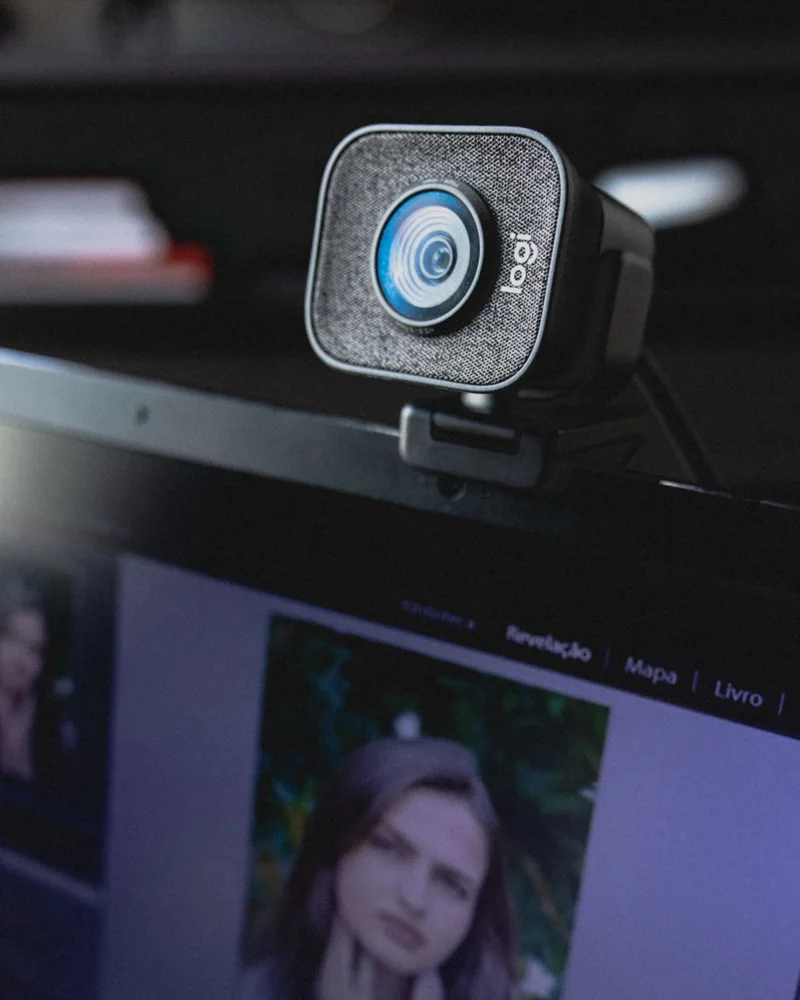
Compare the mount with your monitor's thickness, rear shape and bezel. A clip should be used as its instructions describe without pressing against a fragile screen area or covering important sensors. Logitech's setup guides show the importance of seating the mounting clip properly against the device. Check whether the camera tilts independently of the clip. If a tripod or separate mount is supported, verify the thread and any adapter requirements rather than assuming every small stand will fit.
Choose framing for the room
Look at the documented field of view and any supported cropping or zoom controls. A wider view may suit several people but reveal more background in a small home office. Decide how much of the room you want visible from your actual seat. Check whether adjustments require software that you are allowed to install. Avoid treating digital zoom as equivalent to every other framing method; compare the resulting modes and limitations described for the exact camera.
Check the connection and application
Read supported operating systems, port requirements and any resolution or frame-rate conditions. The video-call application and its settings may use different modes from those prominently advertised on the box. Verify the camera can be selected in your normal application and check the microphone choice separately. A bundled cable or adapter belongs in the cost comparison. If you already have a suitable webcam, improving its position and room lighting may solve the main issue without replacing the camera.
Make privacy and storage straightforward
A physical cover can be useful, but check whether it remains attached and operates without moving the camera out of position. Read account and software requirements for optional features. Measure cable reach from the intended mount to the computer or hub, allowing for adjustments. If you pack the camera away regularly, consider the folded mount and a suitable storage place. Keep the mounting instructions so a later move to a different monitor does not involve improvised clamping or adhesive fixes.
THE USEFUL TAKEAWAY
Choose a webcam around its position and supported working modes. A suitable clip, useful framing and clear software requirements matter alongside image resolution. Verify the camera in your ordinary video-call application, and include lighting and microphone choices when judging whether the whole setup needs an upgrade.
Further information
Manufacturer and official references for the details discussed. Check instructions for the exact product you are considering.